Free & open source · MIT · Windows 10/11

Windows utilities that treat your data like it's radioactive.

Two tools, one engineering principle: safety is built into the architecture, not promised in the marketing. Clean the junk you don't need. Bring back the files you do. No ads, no telemetry, no Pro tier — read the source.

BitBroom Cleaner

Reclaim your disk. Safely.

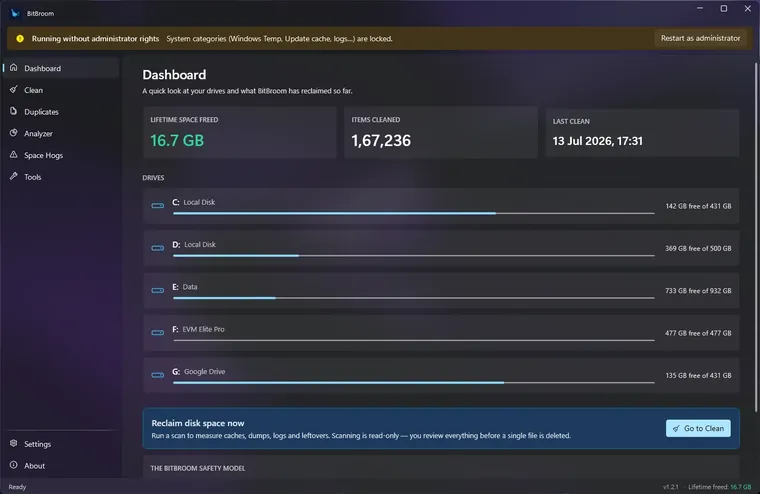
Finds the hidden gigabytes behind “my C: drive filled up for no reason” — WSL/Docker disks, old drivers, shader caches, duplicate files, 60+ researched categories — engineered so it can't delete what you care about.

  • Space Hogs radar + Disk Analyzer + true duplicate finder
  • Recycle Bin mode, audit log, junction-safe, app-aware
  • One-click power tools: compact VHDX, free up OneDrive, old drivers
  • Scheduled cleaning + full CLI with --dry-run
BitBroom Rescue

Get your files back. Without making it worse.

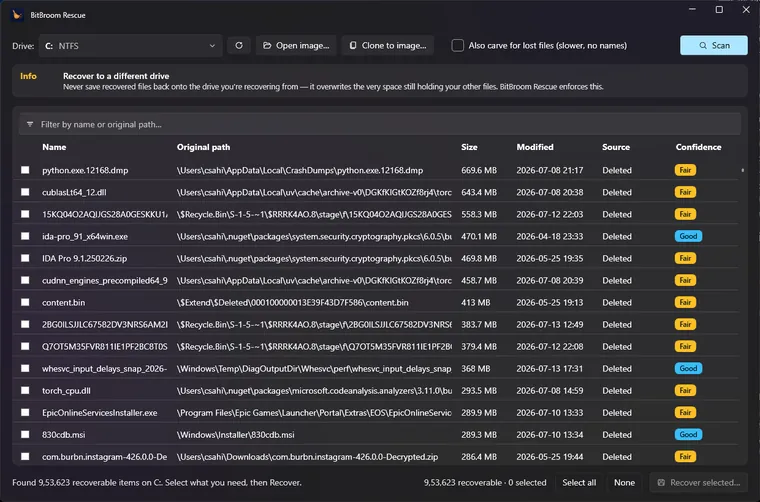
Data recovery built on one rule: the drive being recovered is opened read-only, always. Undelete from NTFS, FAT32 and exFAT, carve formatted cards, clone failing drives first — with honest confidence scores, never a paywall.

  • NTFS / FAT32 / exFAT undelete + Recycle Bin + shadow copies
  • Signature carving for 20+ formats, validated before shown
  • Clone-first imaging (ddrescue-style) for failing drives
  • Honest SSD/TRIM warnings — no fake “recoverable” lists

The BitBroom way

Disk utilities have earned their bad reputation — reckless deletion logic, fake results, ransom screens. These tools are the opposite bet.

Safety is engineered

Not a checkbox — architecture. Cleaner's engine re-validates every path twice and refuses whole classes of risk; Rescue's I/O layer physically has no write path to your drive.

Open source, MIT

Every claim on this site is checkable in the code. Both tools, their engines and their safety tests are public — fork them, audit them, keep them forever.

Honest by default

No inflated scan results, no “boost” buttons, no registry snake oil, no paywalled recovery. When the honest answer is “that data is gone”, that's what you'll hear.

Native Windows craft

Windows 11 Fluent design, acrylic and Mica done properly, fast startup, no background services, no bundleware — tools that feel like they shipped with the OS.

Questions or ideas? [email protected] — or open an issue on either repo.